Grammar Fix
Fix grammar in every app.
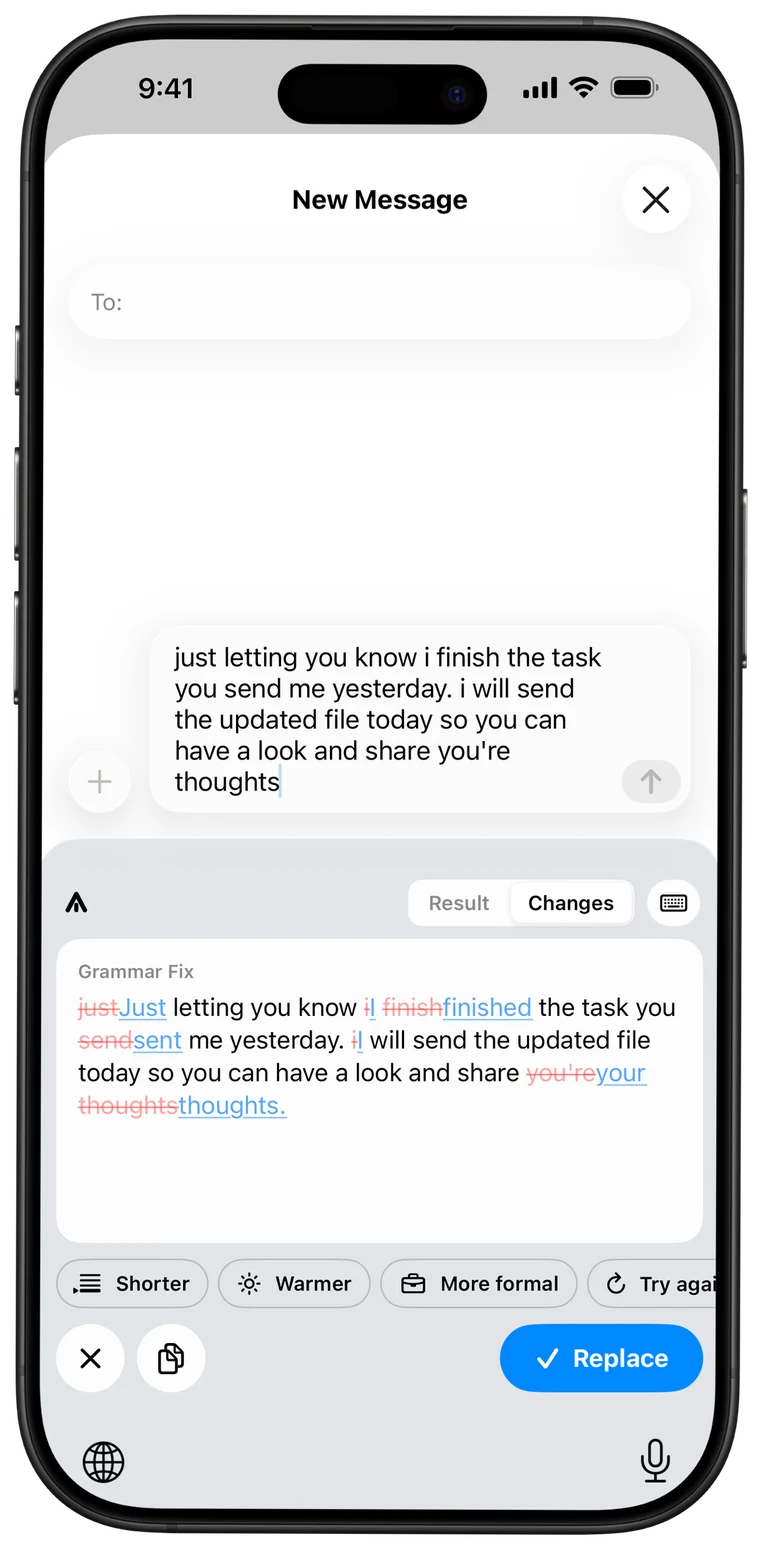
Spelling, grammar and punctuation, fixed in a tap. Switch to Changes to see exactly what was corrected before you replace anything.
Aptype is the AI keyboard for iPhone. Fix grammar, rewrite, change tone and translate in any app, and still sound like you.
Aptype is an AI keyboard for iPhone and iPad. It sits where you already type, in Messages, WhatsApp, Mail, Slack, Instagram and almost any other app, and gives you AI writing tools one tap away: Grammar Fix, Rephrase, tone changes, Translate, Email and your own custom styles. Its signature feature, My Voice, rewrites text so it still sounds like you.
Try it
This is the Aptype keyboard. Tap a tool and watch the rewrite arrive the way it does on your iPhone.
Tap a tool. Aptype rewrites the message above.
Features
Grammar Fix
Spelling, grammar and punctuation, fixed in a tap. Switch to Changes to see exactly what was corrected before you replace anything.
My Voice
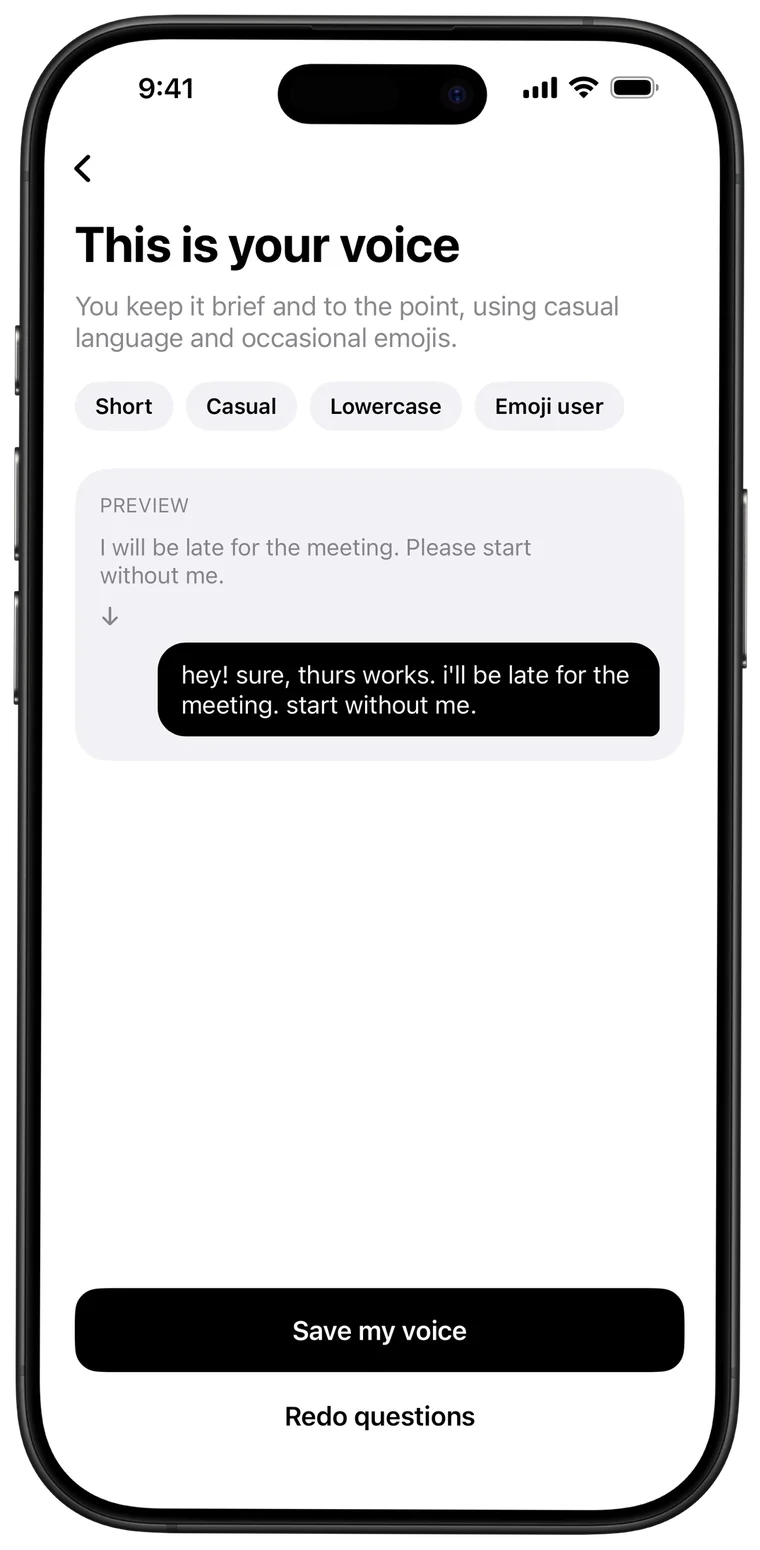
Answer a few quick questions and Aptype learns how you really write: short or long, casual or formal, emojis or none. Rewrites sound like you, not like a robot.
Tone
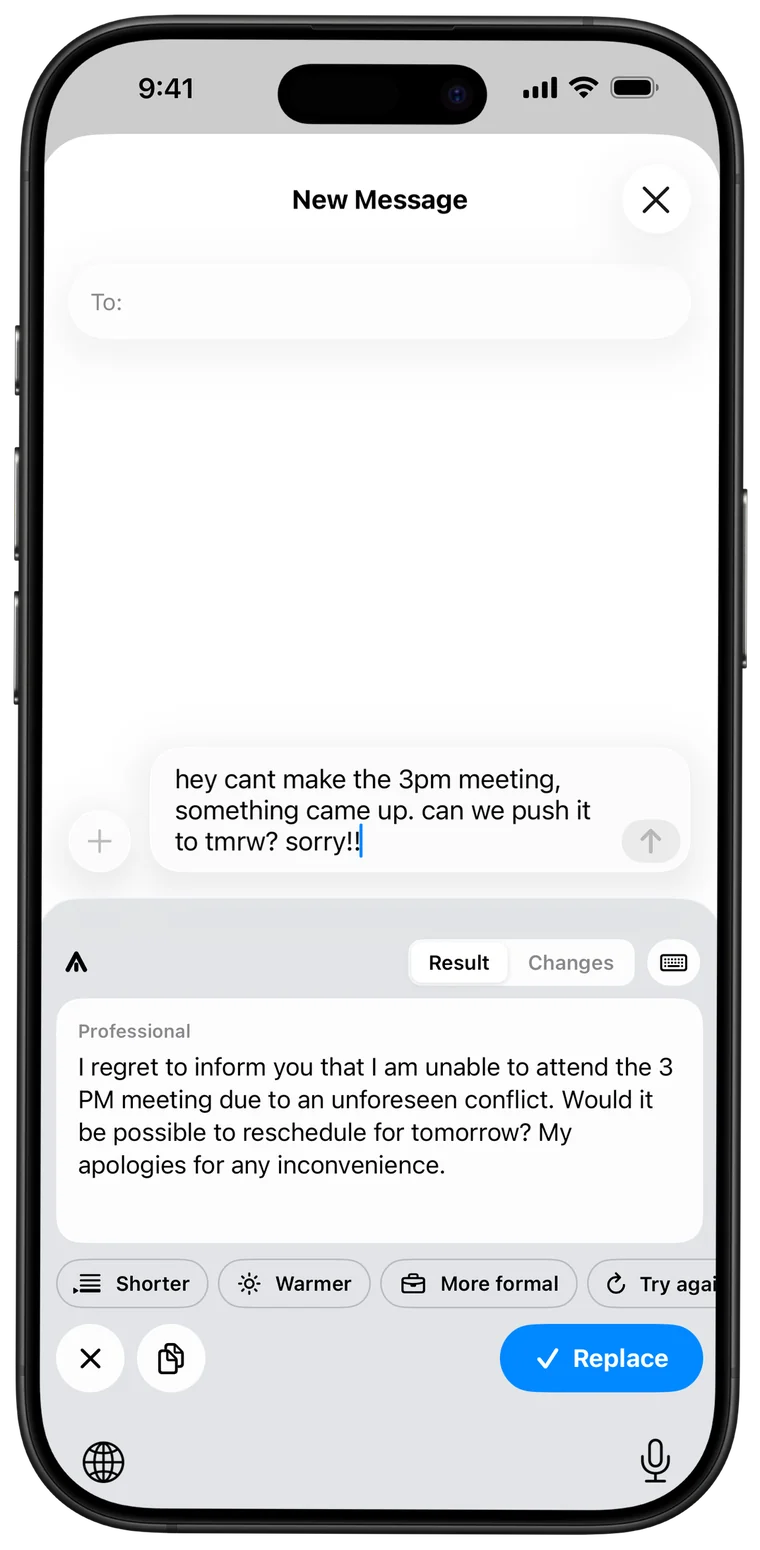
Professional for your manager, Friendly for a friend, Concise when you're busy. Then make it shorter, warmer or more formal, or try again.
Translate
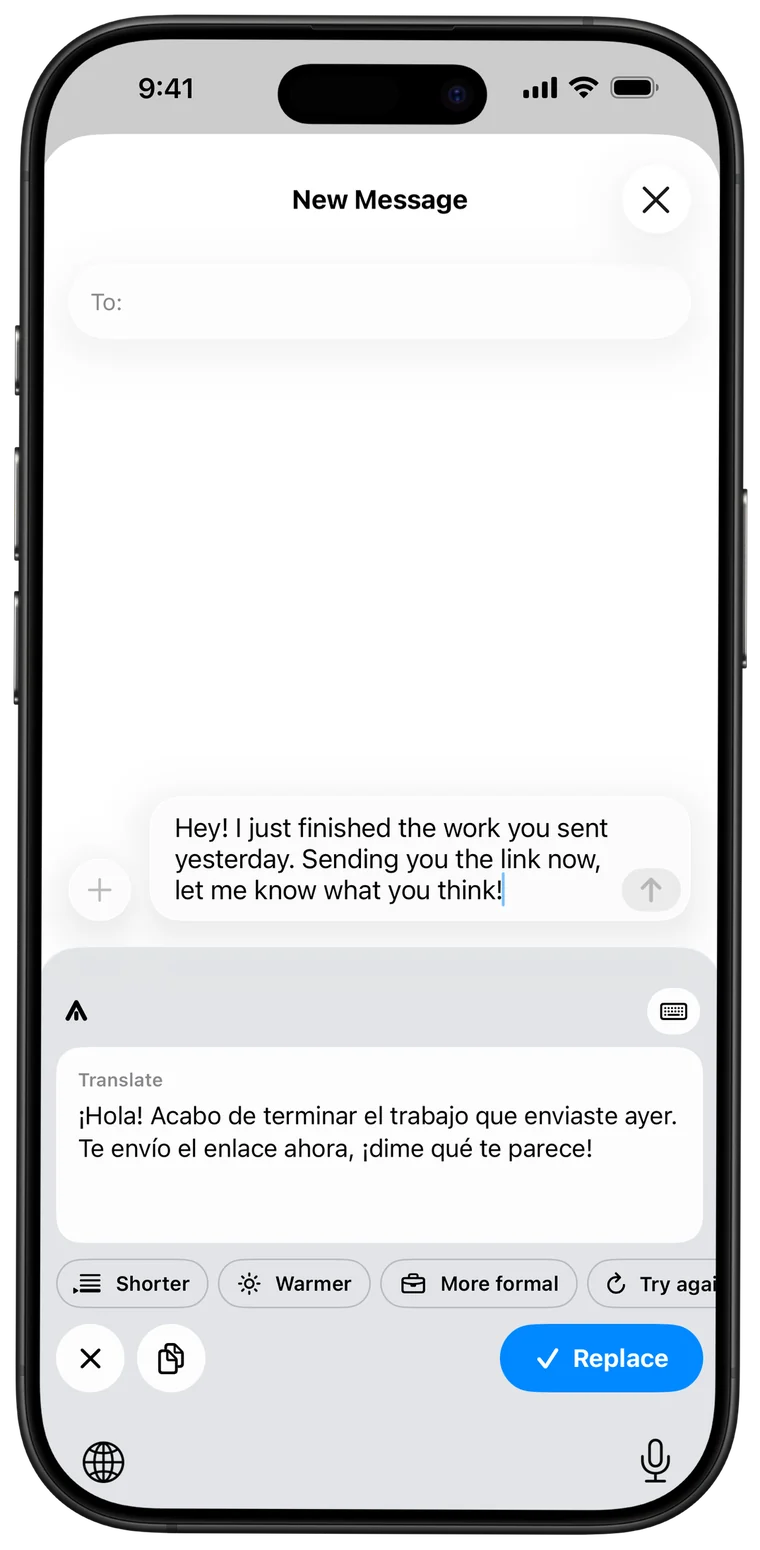
Write in the language you think in and send it in the one they read. No copying, no switching apps.
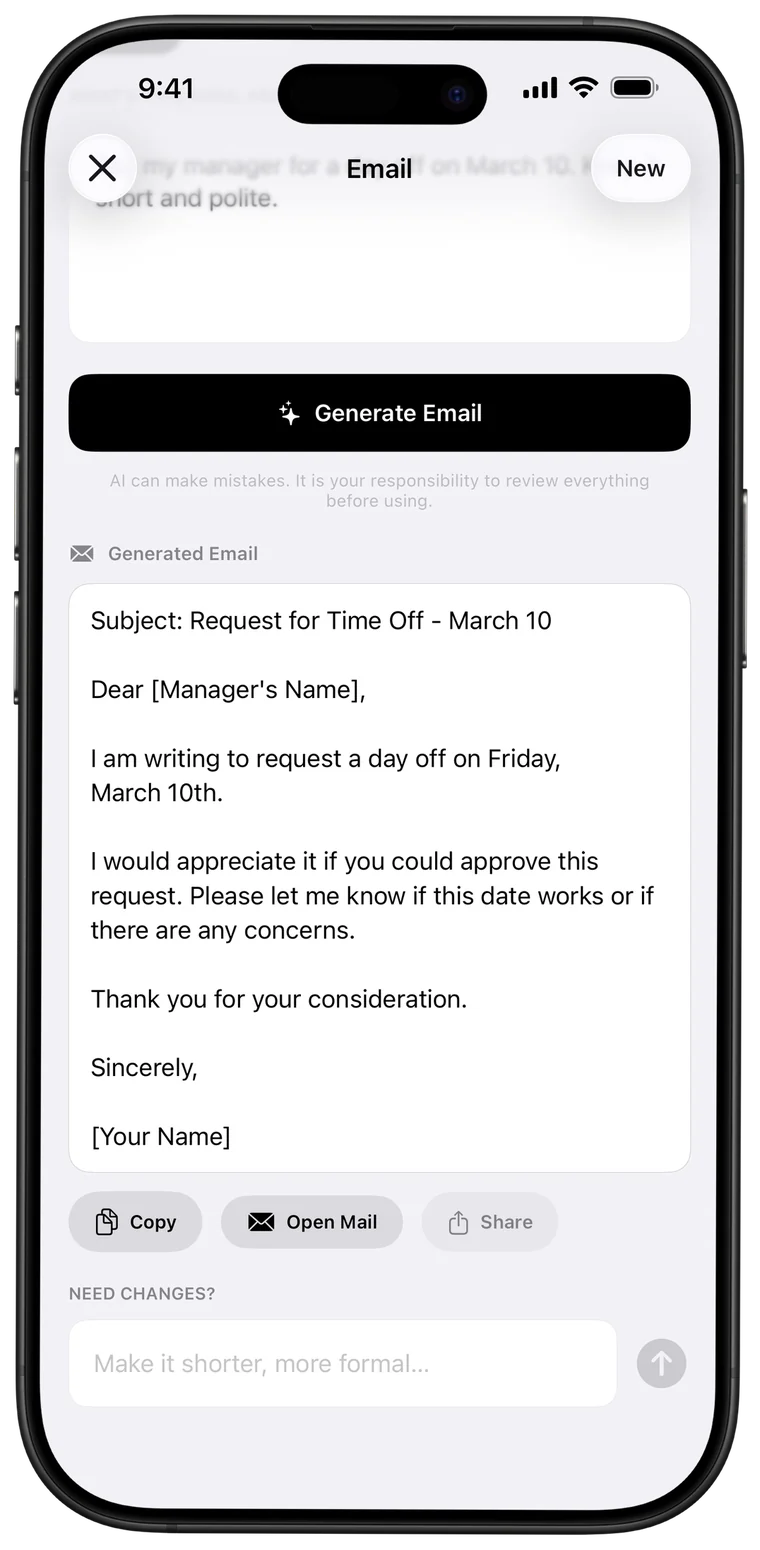
Describe what you need, like “ask my manager for Friday off”, and get a ready-to-send email. Save profiles for the people you write to most.
Custom styles
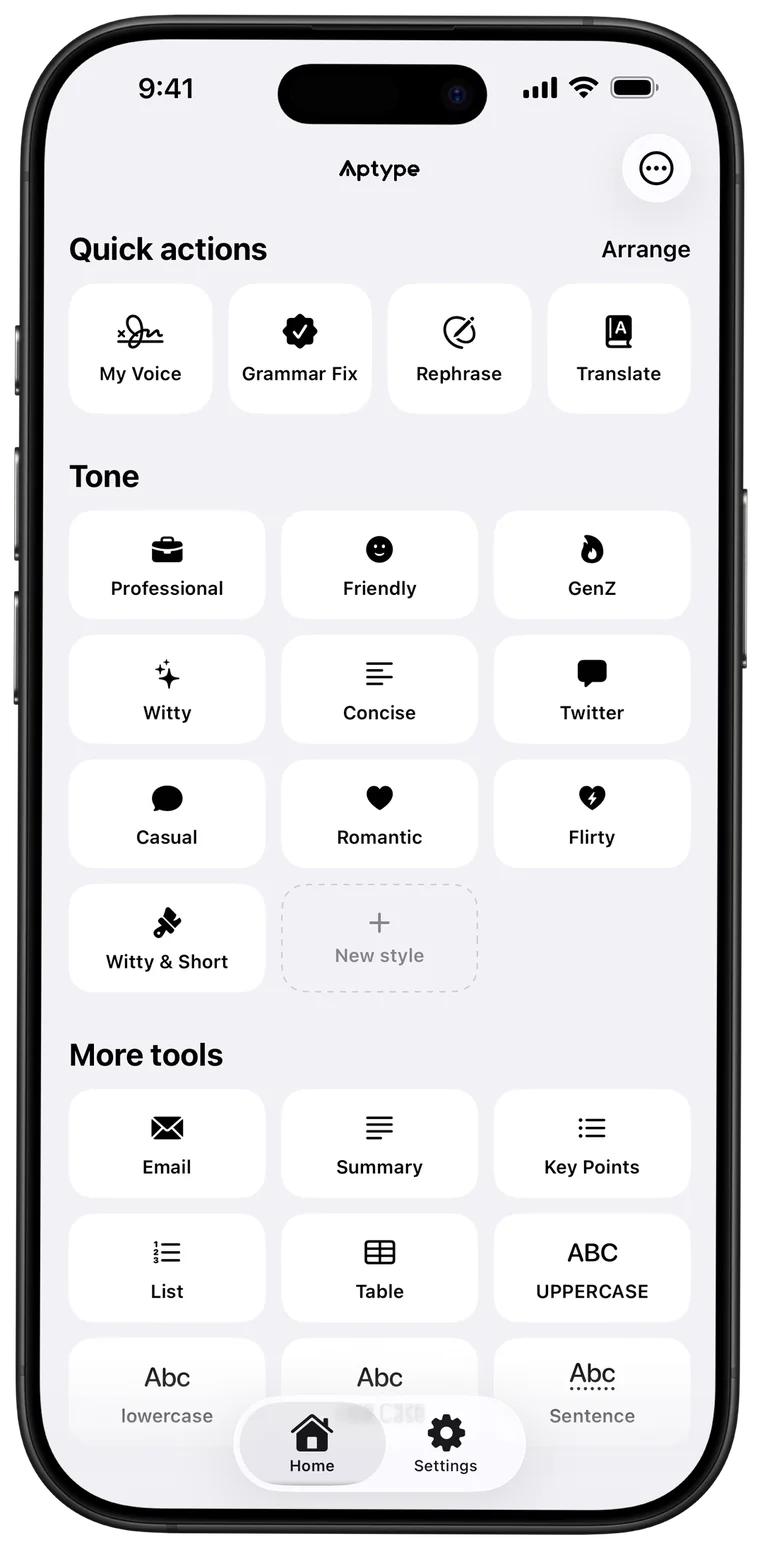
Describe a style once, give it a name and an icon, and it's on your keyboard everywhere. Witty & Short, Board-meeting formal, whatever you need.
One keyboard
Summary, Key Points, List, Table, Email and case tools sit one tap away, right where you type.
All tools
Aptype reads the text in the field you're editing only at the moment you tap a tool. Your everyday typing never leaves your iPhone.
Your text is sent to the AI, the result comes back, and neither is saved on our servers or used to train AI models.
iOS calls it Full Access. Aptype needs it only so the keyboard can reach the AI. It doesn't log keystrokes.
No sign-up, no email, no password. Your voice profile and styles live on your device.
Set up in a minute
Get it free on the App Store and open it once. Setup walks you through the rest.
Settings › General › Keyboard › Keyboards › Add New Keyboard › Aptype, then turn on Allow Full Access.
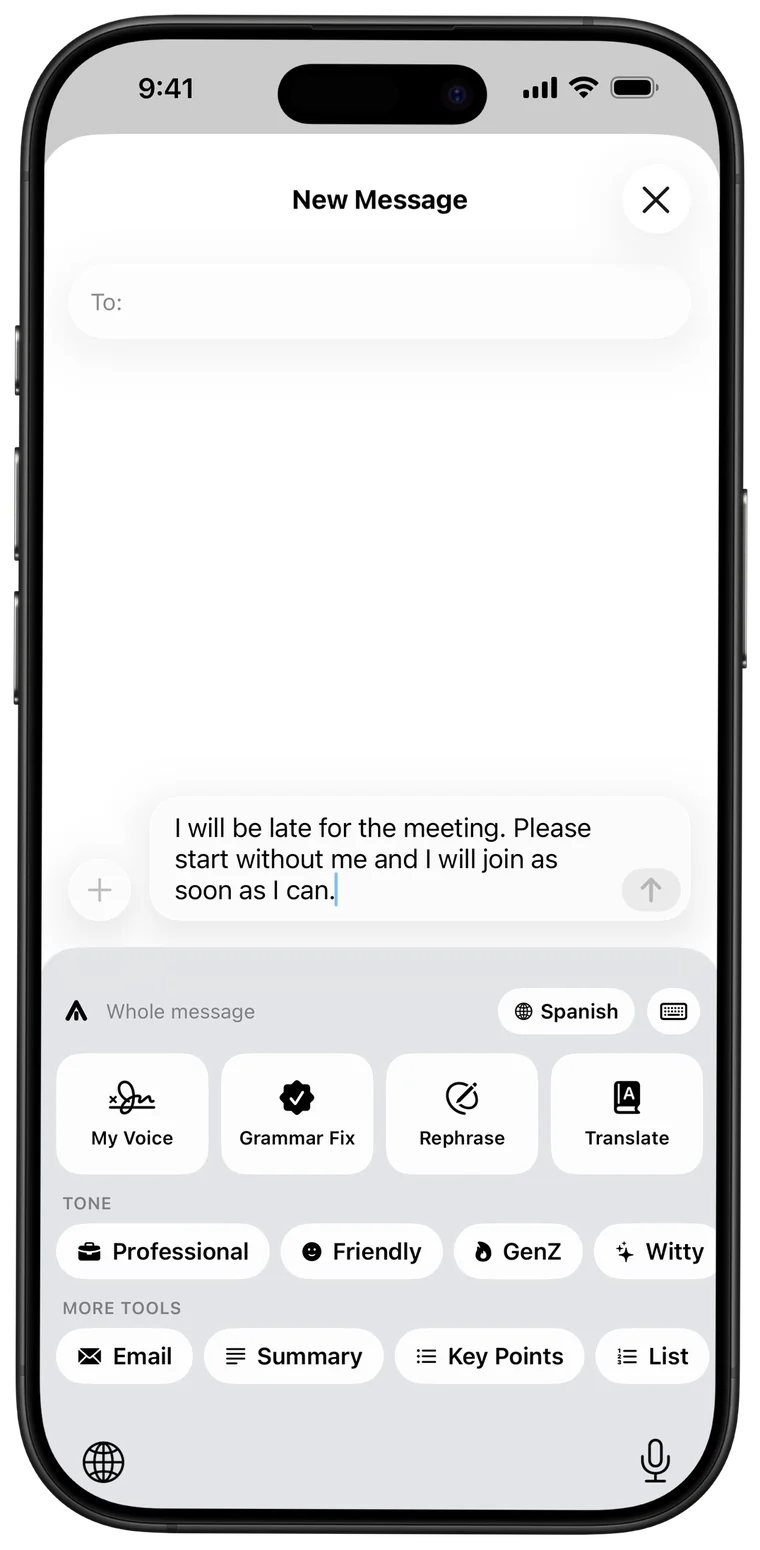
In any app, hold the globe key, choose Aptype, and tap Grammar Fix, My Voice or any other tool. Tap Replace to use the result.
Pricing
$0
Monthly or yearly
Prices are shown in your local currency in the app and on the App Store before you buy. Subscriptions renew automatically unless cancelled at least 24 hours before the end of the current period, and are managed in your Apple ID settings. See the Terms of Use.
| What it is | AI writing keyboard (custom keyboard extension) |
|---|---|
| Platforms | iPhone and iPad, iOS and iPadOS 16.6 or later. Android in development. |
| Works in | Any app that shows the keyboard, except secure fields such as passwords |
| Tools | Grammar Fix, My Voice, Rephrase, Translate, 9 tones, Email, Summary, Key Points, List, Table, custom styles, case tools |
| Price | Free with 5 AI rewrites a day; Aptype Pro subscription removes the limit |
| Account | Not required |
| Privacy | Reads text only when you tap a tool; text is not stored or used for training |
| Made by | Dewmina Udayashan |
FAQ
Aptype is an AI writing keyboard for iPhone. It fixes grammar, rewrites messages, changes tone, translates and writes emails inside any app you type in, such as Messages, WhatsApp, Mail, Slack or Instagram.
Yes, Aptype is free to download and includes 5 free AI rewrites every day. Aptype Pro is an optional auto-renewing subscription that removes the daily limit and unlocks custom styles. Prices are shown in the app and on the App Store before you buy.
Aptype works in almost every app that shows the iPhone keyboard. iOS does not allow third-party keyboards in password fields and in some apps that block them, and in those places iOS switches back to the system keyboard automatically.
Full Access lets the keyboard connect to the internet, which it needs to send the text you choose to the AI when you tap a tool. Aptype does not send or store your everyday typing, and it never reads text unless you tap a tool.
No. Aptype only reads the text in the field you are editing at the moment you tap a tool, sends it for processing, and returns the result. We do not store your text or the AI's output on our servers, and we never use it to train AI models.
Aptype is built around rewriting in your own voice. It learns how you naturally write from a short quiz, then rewrites, changes tone or translates without making you sound generic. It also works on iPhones that don't support Apple Intelligence (iOS 16.6 and later), and it keeps all its tools one tap away on the keyboard.
My Voice is Aptype's personal writing style. You answer a few quick questions, Aptype describes how you write (for example short, casual, lowercase, uses emojis) and saves that style on your iPhone. When you tap My Voice, your draft is rewritten to sound like you.
Aptype can translate between a wide range of languages. You pick the languages you write in during setup, and the Translate tool turns your text into the language you choose.
Aptype runs on iPhone and iPad with iOS or iPadOS 16.6 or later. It needs an internet connection for AI tools; the case tools work offline.
Not yet. An Android version is in development. Join the Android waitlist at aptype.dewmina.dev/android to get an email when it launches.
Open the Settings app on your iPhone, tap your name, then Subscriptions, choose Aptype and tap Cancel Subscription. Cancel at least 24 hours before the renewal date to avoid being charged for the next period.
Coming to Android
We're building it now. Join the waitlist and we'll email you the day it's ready. The more people who join, the sooner it ships.